Wi-Fi devices
Simple to start and need no hub, but many devices on one network can strain it. Reliable power and good coverage matter.
Smart devices only work as well as the wiring behind them. Trident Electric handles the electrical side of smart lighting, smart switches, dimmers, automation wiring and security camera power, so your connected home is safe, compatible and reliable.
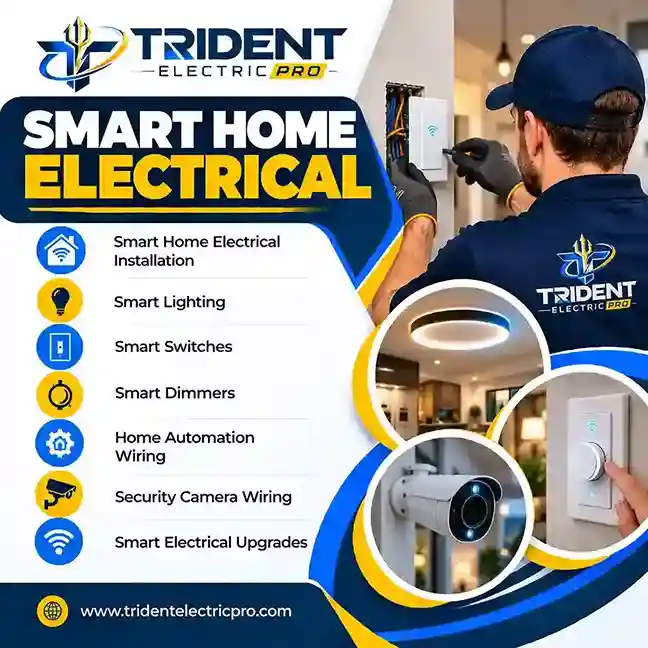
Smart home electrical work is the licensed-trade side of home automation: installing and wiring smart switches, dimmers, outlets and lighting controls, adding dedicated circuits and power for hubs, cameras, thermostats and doorbells, confirming neutral wires and load compatibility, and testing everything so it operates safely. Trident Electric provides this for homes, businesses and property managers.
Most smart-home problems are really electrical problems: a missing neutral, a dimmer rated for the wrong load, an overloaded box or no power where a camera needs it. We evaluate the existing system first, then install devices and wiring that match your equipment and goals.
Projects range from swapping a few switches to wiring a whole-home automation plan during a remodel or addition. We coordinate with your chosen platform and installers so the electrical work supports it.
Licensing, permitting and code requirements vary by jurisdiction. For location-specific work, browse the service-area directory to find your city and state page.
Examples show typical requirements. Always follow the manufacturer's instructions for your exact model.
| Device | Electrical considerations | Common brands |
|---|---|---|
| Smart switches | Often need a neutral wire; correct line/load wiring; box size; 3-way and 4-way compatibility | Lutron, Leviton, TP-Link Kasa, GE/Jasco |
| Smart dimmers | Match to LED, incandescent or other load type; minimum and maximum wattage; heat in multi-gang boxes | Lutron Caseta, Leviton Decora Smart |
| Smart outlets & USB outlets | Proper grounding; GFCI/AFCI requirements by location; circuit capacity | Leviton, Eaton, TP-Link |
| Smart thermostats | Low-voltage wiring, often a C-wire, and compatibility with the heating or cooling system | Nest, Ecobee, Honeywell Home |
| Video doorbells | Doorbell transformer voltage and chime compatibility, or a new low-voltage supply | Ring, Google Nest, Eufy |
| Security cameras | Power at camera locations, outdoor-rated routing, and weather protection; wired or wireless systems | Various |
| Hubs & networking gear | Reliable power, dedicated circuit if needed, and surge protection | SmartThings, Hubitat, Apple Home hubs |
Many smart switches and dimmers do. They stay powered on so they can listen for wireless commands, and that standby power needs a neutral conductor returning to the panel. Older homes often have switch boxes with only line and load wires.
Your options are a device designed for no-neutral boxes, running a neutral to the box, or changing the control approach. The right choice depends on the load, the box and the product. An electrician can check the box safely before you buy.
Simple to start and need no hub, but many devices on one network can strain it. Reliable power and good coverage matter.
Hub-based mesh networks common in larger automation systems. Each wired device acts as a repeater, so placement and power help.
Matter is a newer standard intended to work across Apple Home, Google Home, Alexa and SmartThings, often over Thread or Wi-Fi.
These are starting points, not a substitute for an inspection or diagnosis.
Smart lighting involves switch compatibility, neutral conductors and load considerations.
Existing wiring and box conditions determine which smart devices can be installed.
Camera systems need planned power and routing, especially outdoors.
Multiple connected systems benefit from coordinated electrical planning.
Flicker and buzzing are often compatibility, load or wiring issues.
Growing device counts can justify better circuits, organization and surge protection.
There is no one price, because wiring conditions differ widely from house to house. These factors usually drive the scope and quote:
Send the property type, the devices you plan to use, which rooms are involved, and clear photos of the switch boxes and panel when it is safe to take them. Call (855) 599-0507 to discuss your project.
Identify devices, controls, platform, rooms and automation goals.
Review neutrals, load types, boxes, circuits and installation conditions.
Install devices, wiring and circuits within the agreed scope.
Verify controls operate correctly and connections are secure.
Do not assume a smart switch is interchangeable with a standard one. Compatibility, box space, neutrals, load type and manufacturer instructions all matter. Always turn power off at the breaker and verify before touching conductors.
For electrical faults, panel work, new circuits, high-load equipment, wet-location work or concealed wiring, call a qualified electrician.
Replace or upgrade switches, GFCI/AFCI outlets and dimmers as part of a smart-home upgrade.
Learn more →Recessed, outdoor and decorative lighting installed so smart controls work properly.
Learn more →New circuits, outlets and fixtures for connected equipment and added devices.
Learn more →More capacity and circuit protection when connected loads keep growing.
Learn more →New runs and rewiring when older boxes or circuits limit smart options.
Learn more →Need something else? Visit the full electrical services directory or browse Trident Electric service areas.
No, but many do. Wi-Fi, Z-Wave, Zigbee and Thread/Matter switches usually draw standby power and need a neutral conductor in the switch box. Some dimmers, such as certain Lutron Caseta models, are designed for no-neutral boxes. Compatibility depends on the exact device, load and wiring, so check before buying.
Often yes, but the existing wiring needs evaluation first. Older homes may have switch boxes without a neutral, crowded boxes, ungrounded circuits or aging conductors. An electrician can confirm what is present, then choose compatible devices or correct the wiring so the controls work reliably and safely.
A smart switch replaces the wall switch and controls any compatible light on that circuit. A smart bulb puts the intelligence in the bulb, so the wall switch must stay on. Switches suit whole rooms, multiple fixtures and households that want normal wall control to keep working.
Yes, if the dimmer and the LED lamps or fixtures are compatible. LED loads have minimum and maximum wattage limits and different dimming types, so mismatches cause flicker, buzzing or poor range. Matching the dimmer to the actual load is a core part of smart lighting electrical work.
Electrical work can include power and wiring support for security equipment, such as outlets, dedicated circuits or power routing near camera locations. The scope depends on the camera system, whether it is wired or wireless, and the building. Share the equipment model when you call.
There is no single best option. Wi-Fi devices are easy to start with, Z-Wave and Zigbee use a hub and are common in larger systems, and Matter is a newer standard designed to work across Apple Home, Google Home, Alexa and SmartThings. The right choice depends on your platform and the number of devices.
It depends on the jurisdiction and scope. Swapping a like-for-like switch is often treated differently from adding circuits, changing a panel or running new wiring, which commonly need permits and inspection. Requirements vary by city and state, so confirm locally before work starts.
Cost depends on the number of devices, wiring condition, whether neutrals or new cable runs are needed, wall and ceiling access, circuit or panel capacity, and the equipment selected. A short walkthrough of the project and photos of the boxes usually make a scope and quote more accurate.
Trident Electric's focus is the electrical side: safe wiring, devices and controls that work with your chosen system. App, hub and voice-assistant setup depends on the project, so confirm that part of the scope when you book. Devices are chosen for compatibility with your platform.
Call Trident Electric at (855) 599-0507 to discuss your smart home electrical project. Trident Electric Pro is located at 999 110th Ave NE, Bellevue, WA 98004. See the service-area directory for location pages.
Call Trident Electric